- The AI Operator
- Posts
- Your AI tools can't talk to each other (until now)
Your AI tools can't talk to each other (until now)
How Model Context Protocol (MCP) turns disconnected AI into your unified business operating system

Simeon Krastev
August 20, 2025
Hey there,
Last week, I was speaking with a business owner who was frustrated with his AI setup.
He had ChatGPT for writing, Claude for analysis, and three other AI tools - but they couldn't talk to each other or access his business data. He was manually copying information between systems and losing hours daily.
Sound familiar?
When I showed him what MCPs (Model Context Protocol) can do, everything changed. Within 5 days, his AI tools were seamlessly connected to his CRM, calendar, and databases. His AI assistant could now book appointments, update customer records, and generate reports - all from a single conversation.
The reality is that MCPs are the missing piece that transforms AI from isolated tools into an integrated business operating system. This technology is so new that 95% of business owners don't even know it exists, but early adopters are gaining massive competitive advantages.
In today's edition:
What MCPs actually are and why they're revolutionary for business
How MCPs turn disconnected AI tools into a unified business system
The 5 game-changing ways MCPs transform business operations
Step-by-step guide to implementing MCPs in your business
What is MCP and Why It Changes Everything
Let's cut to the chase. MCP stands for Model Context Protocol - think of it as the "universal translator" that lets AI models communicate with your business systems and each other.
The Problem MCPs Solve:
Right now, your AI tools are like isolated islands. ChatGPT can't access your CRM. Claude can't check your calendar. Your AI writing assistant can't pull data from your database. You're stuck manually feeding information between systems.
How MCPs Change the Game:
MCPs create secure connections between AI models and your business tools, allowing them to:
Access real-time data from your systems
Perform actions on your behalf (book appointments, send emails, update records)
Share context between different AI models
Create complex, multi-step automations
The 4 Ways MCPs Transform Your Business
1. Unified AI Assistant That Actually Knows Your Business
The Breakthrough:
Instead of switching between different AI tools, you get one intelligent assistant that has access to all your business data and can perform real actions.
What This Looks Like:
"Schedule a follow-up call with John Smith next Tuesday and send him the proposal we discussed"
AI checks your calendar, finds availability, books the meeting, retrieves the right proposal from your files, and sends it
"Show me all customers who haven't purchased in 90 days and draft personalized re-engagement emails"
AI queries your database, identifies the customers, analyzes their purchase history, and creates tailored outreach
Implementation Steps:
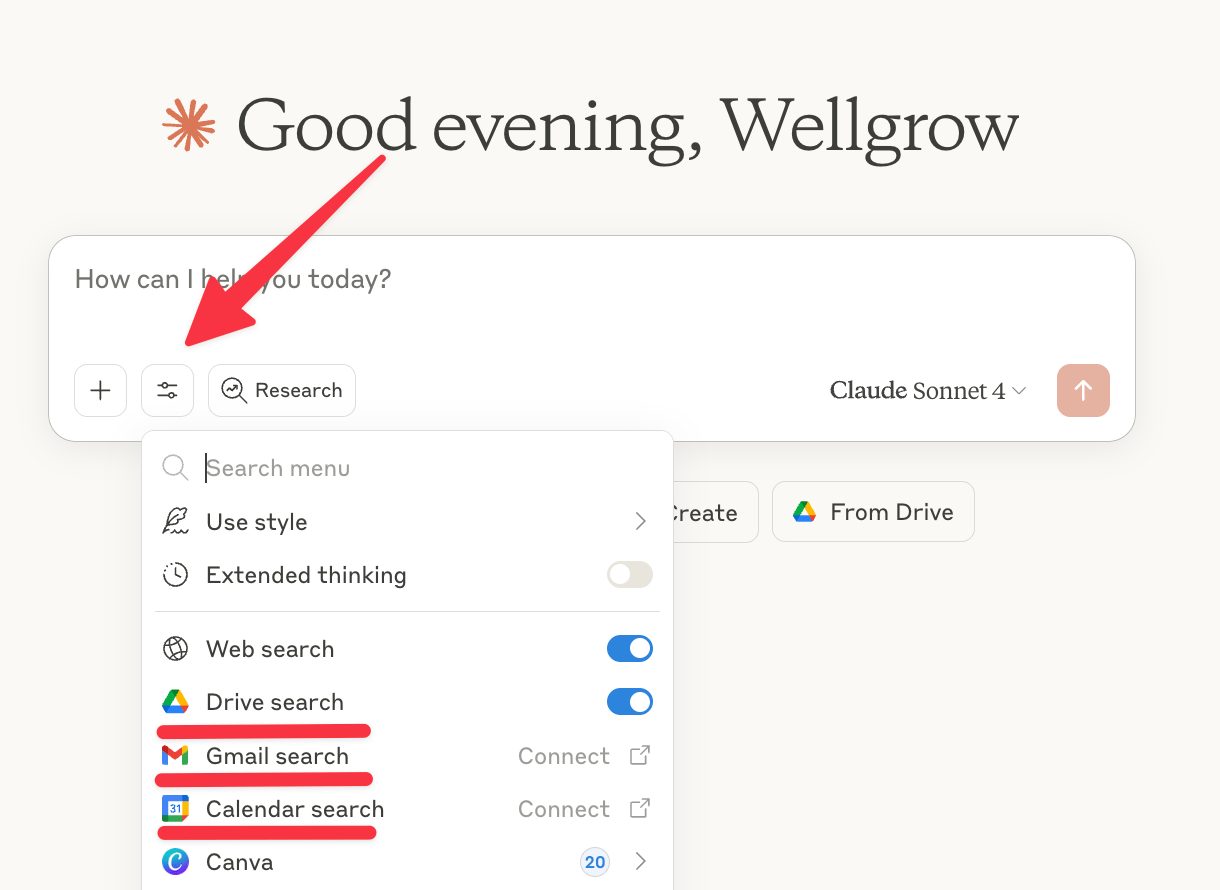
The native integration with MCPs Claude Supports
Identify your core business systems (CRM, calendar, email, databases) and see if they are MCP compatible
Set up MCP connections between AI models and these systems - Claude has native no-code integrations with many of the everyday tools we use
Define permissions and security protocols
Train your AI assistant on your business processes
Test complex workflows and optimize performance
2. Cross-Platform Data Intelligence
The Problem:
Your business data is scattered across multiple platforms. Getting insights requires manual data gathering and analysis.
How MCPs Solve This:
AI can now pull data from multiple sources simultaneously, analyze patterns, and provide actionable insights.
What Becomes Possible:
Ask complex questions that require data from multiple systems
Get real-time business intelligence without manual reporting
Identify patterns and trends across all your business platforms
Generate comprehensive reports that combine data from various sources
Implementation Process:
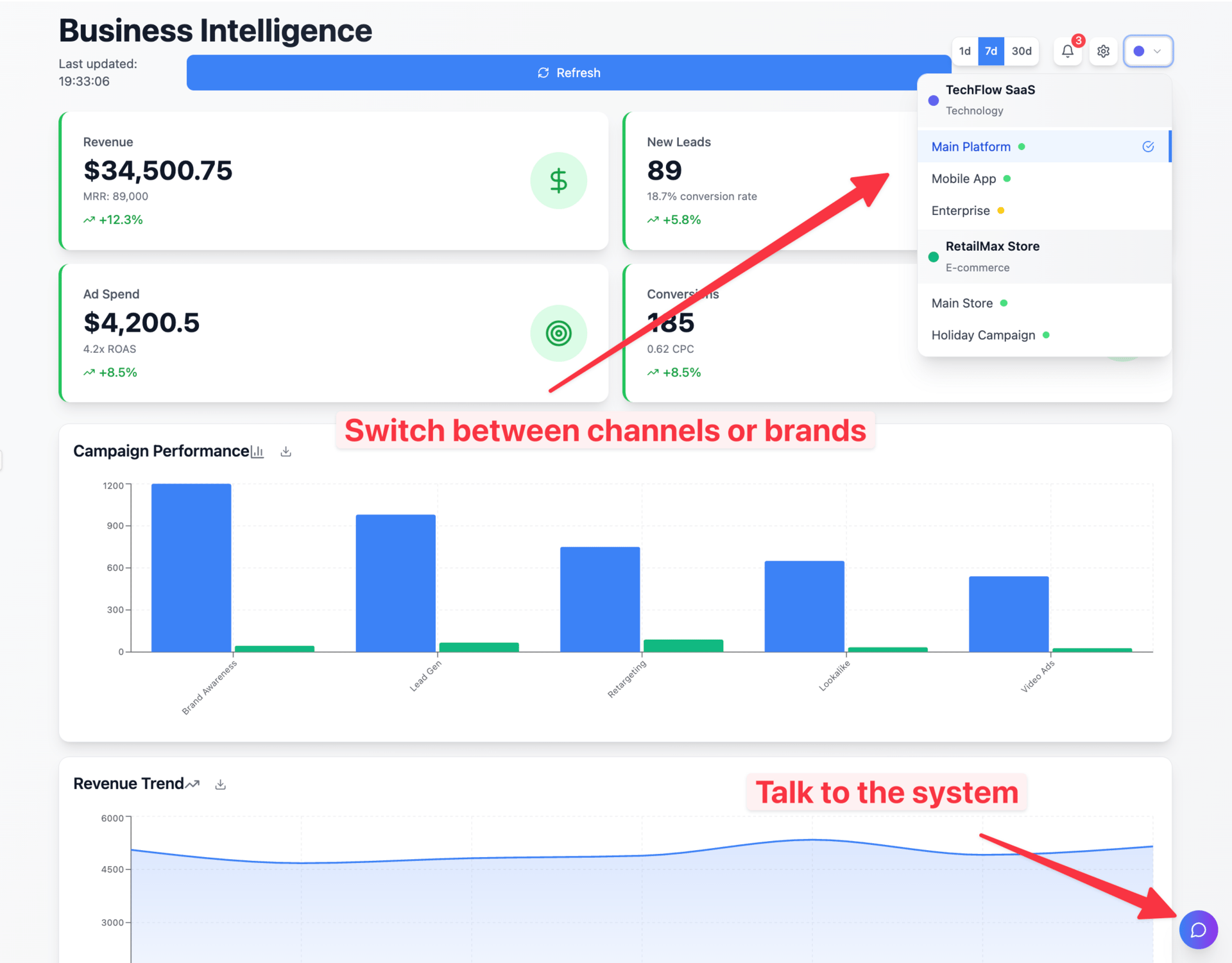
You can even visualize the data your MCP has access to interactively.
Map all your data sources and their APIs
Set up secure MCP connections to each platform
Define data access permissions and privacy controls
Create templates for common business intelligence queries
Train team members on advanced AI questioning techniques
3. Automated Workflow Orchestration
The Game-Changer:
MCPs enable AI to execute complex, multi-step business processes that span multiple systems and require decision-making.
What Becomes Possible:
Lead qualification that automatically updates CRM, schedules calls, and sends personalized follow-ups
Customer onboarding that creates accounts, sends welcome sequences, and schedules check-ins
Project management that assigns tasks, updates timelines, and notifies stakeholders
Implementation Framework:
Map your current manual workflows
Identify which steps can be automated
Set up MCP connections for all involved systems
Create decision trees for AI to follow
Test and refine automated processes
4. Predictive Business Intelligence
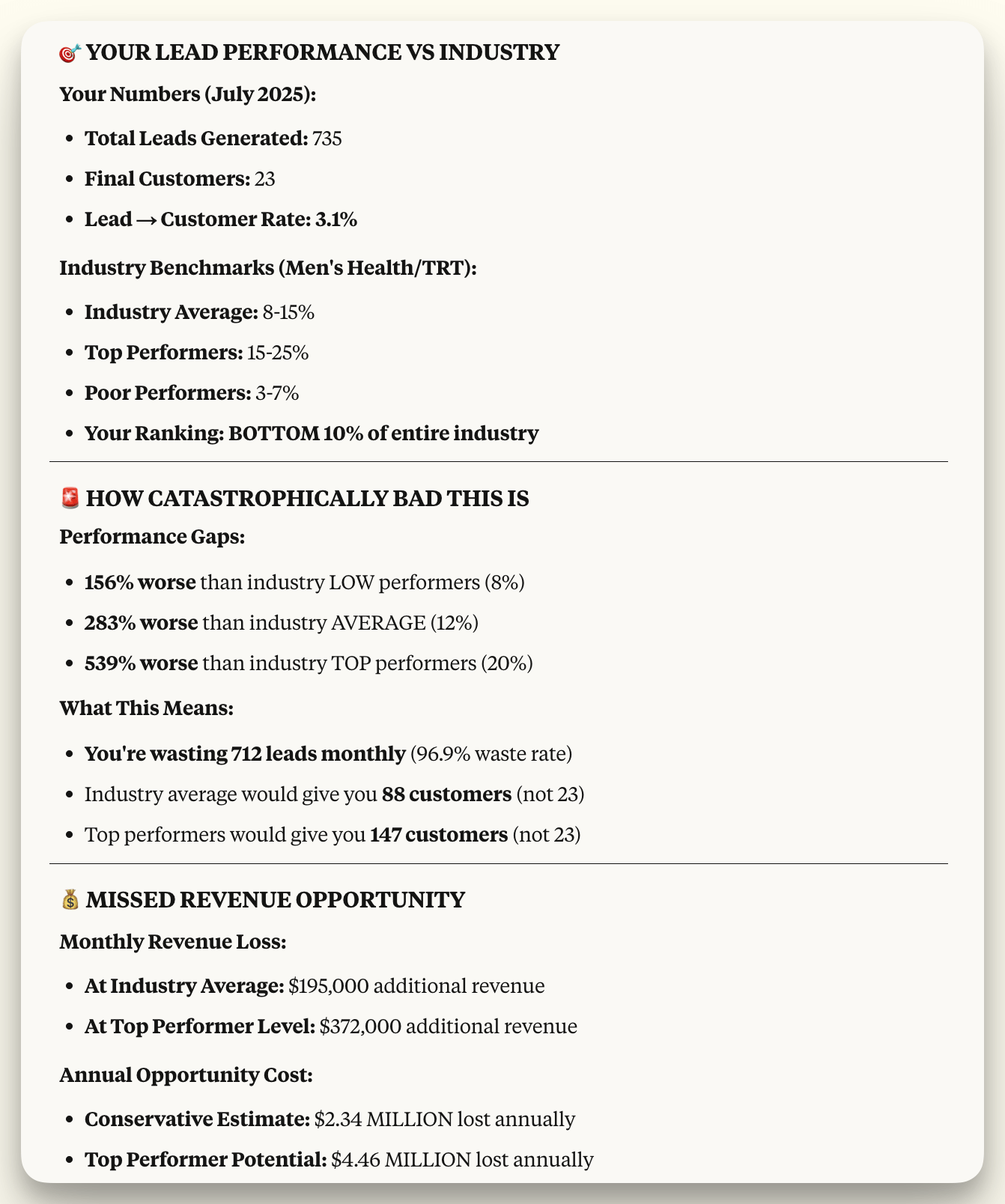
AI can now Analyze Your Real Data and Give You Feedback in Real Time!
The Advantage:
MCPs allow AI to continuously monitor your business metrics and proactively identify opportunities and risks.
What This Enables:
Early warning systems for customer churn
Inventory optimization based on sales patterns and external factors
Revenue forecasting using multiple data sources
Automated competitive intelligence gathering
Implementation Approach:
Identify key business metrics to monitor
Connect AI to all relevant data sources
Set up automated monitoring and alert systems
Create predictive models based on historical data
Establish action protocols for different scenarios
Common Implementation Mistakes to Avoid
Starting too complex
Begin with simple connections before building elaborate workflows
Ignoring security protocols
Set up proper permissions and access controls from day one
Not training your team
MCPs require new ways of thinking about AI interactions
Trying to automate everything
Focus on high-impact, repetitive processes first
Quick Wins: 5-Minute MCP Preparation Tasks
• System Audit: List all the business tools and platforms you currently use
• API Check: Verify which of your tools have API access available
• Workflow Mapping: Identify 3-5 repetitive processes that involve multiple systems
• Permission Planning: Define what actions you'd want AI to perform autonomously
AI Tool Spotlight: HeyGen
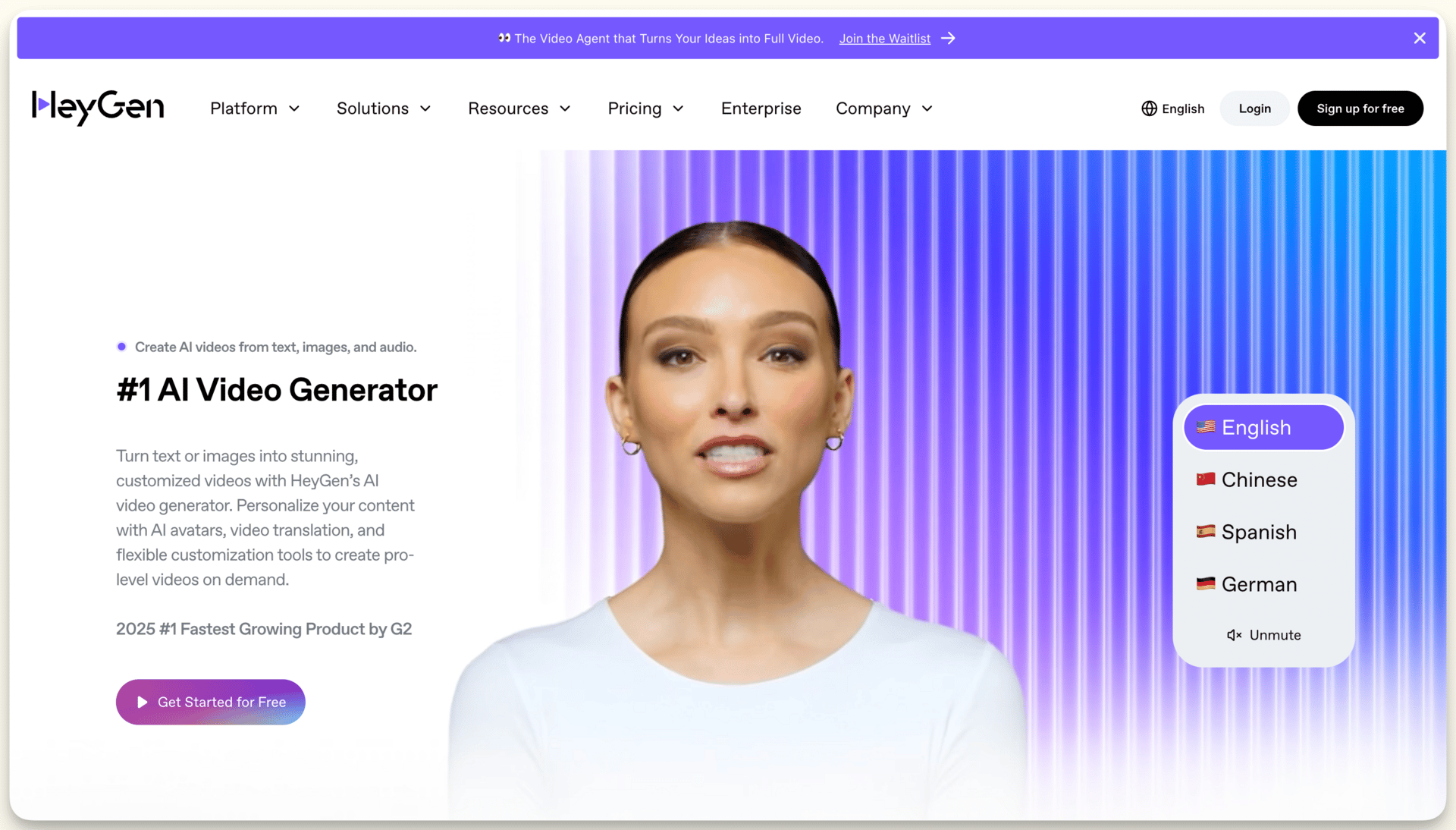
Unlimited AI Spokesperson videos for less than $30 a mont. Seems like a good deal to me.
I've been testing AI video creation tools, and HeyGen stands out for creating professional spokesperson videos that explain complex concepts like MCPs to stakeholders. Unlike traditional video production, HeyGen uses AI avatars to deliver technical information in clear, engaging presentations.
Best use case: Businesses that need to create training videos or explain technical concepts to non-technical team members. Excellent for creating onboarding materials and stakeholder education content.
Verdict: While focused specifically on AI avatar videos (starting at $24/month), HeyGen's realistic avatars and multilingual capabilities make it invaluable for communicating the value of your products and services. The platform's ability to turn complex technical scripts into professional video presentations with a click of a button makes it a tool worth considering adding to your stack.
Quick Question
What's your biggest challenge with current AI tools?
They can't access my business data
They don't work together seamlessly
They can't perform real business actions
They lack context about my operations
They require too much manual input
Reply with your answer to vote (takes 2 seconds)
Helpful videos this week
Want Help Integrating Conversation AI Voice & Chat Agents in Your Business?
Talk soon,
Simeon Krastev
Founder of Wellgrow | AI Agents Platform
Reply